Stop wondering whether Claude is still working or whether you just hit your usage limit.
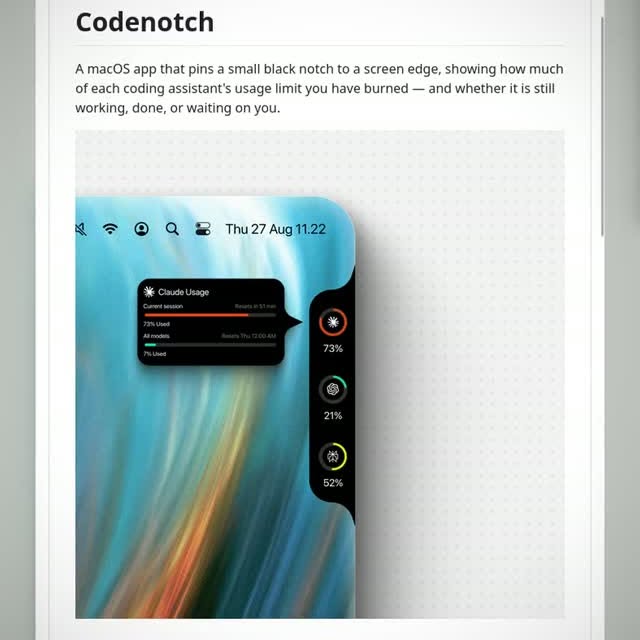
Stop guessing if your AI is about to cut you off. Codenotch pins a tiny, sleek black bar to the edge of your Mac screen that instantly shows exactly how much of your usage limit you have burned for Claude, Cursor, and other coding tools. It works in the background without you needing to sign in again, just reading the data your apps already have. The coolest part is that it tells you if your AI is still working or if it’s stuck waiting for your input, so you never stare at a frozen screen wondering what went wrong.
Open source: vinzdg/codenotch
Follow for more open source project drops.
#ClaudeCode #CursorAI #AICoding #AIAGents
Transcription
Stop guessing if your AI is about to cut you off. Code Notch pins a tiny, sleek black bar to the edge of your max screen that instantly shows exactly how much of your usage limit you have burned for Claude, Cursor, and other coding tools. It works in the background without you needing to sign in again. Just reading the data your apps already have. The coolest part is that it tells you if your AI is still working, or if it's stuck waiting for your input, so you never stare at a frozen screen wondering what went wrong.
Voir la source originale